Showing posts with label writing. Show all posts

June 22, 2018

How to make an interactive reading activity (PART 2)


My previous post explained the reasons for writing this post and also brought the results of my exploration with a tool called ACTIVE TEXTBOOK suggested by Shelly Terrell.

This time, I focus on a website called NOWCOMMENT recommended to me by Nik Peachey.

At first glance, NowComment was exactly what I was looking for: a tool which allows teachers to turn documents into conversations and is appropriate for a large number of students.

It's free and you can upload different sorts of files.


Once you upload the document you want your students to read and discuss about, the site will alert you to possible overlays it may find on the document you've uploaded. I had problems with pdf files with images, graphs and also a pdf in two columns. I advise you to check the preview on the website to see if the formatting of the text is ok or not.

Check what happened to the PDF file I tried to upload.


Now, if the same thing happens to you, you can edit the document right there or try a different document with text only. And that's exactly what I decided to do next.

I copied and pasted the text into a Word file and also decided to try out something else, to embed a video to my word file. Following the instructions found in the website, I selected a video about the same topic and grabbed the embed code. Next, I pasted the code directly into the Word file I was going to upload to the NowComment website.


I clicked the blue button SAVE AND CONTINUE and Voilá, the video "magically" appeared.


You can use different color schemes to highlight parts of the text.


And you can also select specific paragraphs around which you can start a conversation by clicking on the speech bubble with a plus sign.


The conversation can be viewed by students in two ways: 2 panes or combined.

If you select the 2-pane view, the text is on the left and the conversations appear on the right side of the screen.


The other possibility is the combined view, with the text interspersed with conversations.


The conversation can be started by the teacher or the students themselves. And to interact with a previous comment, all you have to do is click REPLY.

Another plus is the possibility to develop discussions around videos. If you add a Youtube video embed code to the Word file you upload to the website, it's fairly easy to propose a discussion.

Above the video player, when you click ADD COMMENT, you can add a comment/question to a certain point of the video or to the video as a whole. The image I've added below shows a question I add at a certain time in the video.


HANDS ON MOMENT


Would you like to try it out with us?

If so, click HERE and feel free to leave comments, highlight parts you find important and play with the website. Be aware the text is not complete as I just wanted to test the website.


WHAT I LIKED ABOUT IT


  • It's free.
  • It works well with Word files.
  • You can easily create Word files + embed code to different videos to create conversations around videos or flipped assignments around videos.
  • You can create great conversations around images you add to a Word File you prepare beforehand.
  • Using the COMBINE page view, you can create reading tasks which ask students to pause reading, discuss and then continue the reading.

WHAT I DIDN'T LIKE ABOUT IT


  • PDF files are easily deconfigured once uploaded to the website and it's really time consuming to edit the whole text.
  • The documents are private as default so it takes some time to locate where to edit the document properties so that large groups of people can participate (especially if you don't have everyone's emails)
A video about NOWCOMMENT


Next week, I'll be exploring one more tool!


September 25, 2014

Teens and Tumblr: a writing digital portfolio


The objective of this post is to share a writing project I've been developing with EFL teenage students this semester. At the end of each unit, the course book we've been using suggests a writing task for a portfolio.


I've always been bothered by the way teenagers generally handle their written assignments at the school where I work. It usually goes as following:

  • Students write a text on a piece of paper which is given to the teacher for correction.
  • Teachers correct the mistakes by underlining, crossing out and sometimes providing a better word for a sentence. The pieces of paper are handed back to students with a mark.
  • Upon receiving their text back, students check their marks and quickly check what the teacher has corrected.
I frequently asked myself: What do students do with this piece of paper? Do students understand why they made the mistakes the teacher marked? How much do they learn from the feedback?

Considering the scenario shared above, I decided to propose a change to my students. First, I elicited from them what usually happens when they have to write texts for homework. And then I presented the idea of a Writing Digital Portfolio to be developed by each student throughout the semester.


The idea was to implement the following changes for the writings at the end of each unit. First, students would write a draft on a piece of paper and bring to class. During one of the class activities when students are busy writing, I would check all the drafts, underline mistakes and leave hints about what is wrong with what I underlined. I would focus on underlining mistakes which I believe my students would be able to identify themselves if pointed in the right direction. Second, students would edit the text marked by the teacher, try to identify and correct the mistakes and publish the final version on a public portfolio. As a tool, I suggested TUMBLR as students could easily publish texts and images either from their cell phones or their laptops. Finally, I would evaluate the final version.


My aim was to try a simple version of process writing, invite students to reflect about their writings, to collect each student's writing on a single page and have something tangible of what is produced by students during the semester.

We've been working together for 2 months and a half now and students are about to publish their third writing. The texts are fairly short (about 100 words), but they have been of great help to me as evidence of what my students have learned and what they haven't learned yet.

Screenshot of a Protopage with the Portfolio being developed by students.
In order to see the portfolios, you can click on the image above, and then click on the names of the students. Or you can click on the links of some portfolios I bring below:


July 19, 2014

RSCON5: Text genres and some digital possibilities


In case you missed RSCON5, an incredible Online Conference for Educators worldwide, and the many interesting sessions presented, this is my tiny contribution to this great event.

It's amazing how many people got together during 3 days in July to dedicate some of their time to professional development. Apart from congratulating the different presenters who shared their knowledge with us, I'd like to express my admiration to the organizing committee who put everything together.

For my presentation, I decided to talk about Text Genres and its digital possibilities.

Although many of the course books some of us use in class suggest writing activities such as formal and informal letters, descriptions, narratives and e-mails, other text genres should receive our attention too. I believe the internet has redefined the way we communicate with others and the kind of texts we write. When we travel we no longer send postcards home but we share our photos a comments instantly via Instagram. When we need to send urgent messages, we don't even think of telegrams anymore, we use text messages. Technology has introduced us to different types of text writing and with them other challenges too, such as the use of abbreviations and the limit of characters as in Twitter.

This is a screenshot of the session  I presented at RSCON5. If you click on the image, you'll be taken to the recordings. You can watch the whole session at the Collaborate Platform, listen to the audio or watch the video recording. http://goo.gl/iUShpP


All the resources mentioned throughout the talk can be found at the livebinders below:

May 20, 2014

Text Genres and digital possibilities


Last week, I was invited to facilitate a 3-hour mini course to EFL teachers from public schools in Uberlândia, Brazil. The topic I selected to work with was "Text Genres in English: exploring digital possibilities".

I wanted it to be a course where teachers would explore different webtools themselves and then discuss about the possibilities.

My plan was to use a Google Docs page as the basis of our course. As the course would take place at a school lab, I imagined each teacher would have access to a computer and we would use the google docs first as a space for synchronous brainstorming ( Part 1), as a guide for the activities we would develop, as a library with the links to resources we would use, as a notebook where participants would also post and share whatever they produced during the course.

However, as usual, many things didn't go according to plan. The first problem we encountered was to get each teacher to be on one computer. Although the lab had several desktops, few of them were ready to be used, so teachers ended up having to share the same computer. Well, not a big problem, I thought, at least the internet was working.

As soon as we started, I provided them with  the link bit.ly/cemepe1 and started our brainstorm activity by proposing two questions:


I made the google docs public and after they discussed their ideas with a partner, they started typing their ideas synchronously. They were amazed with the fact that they could all type on the same document at the same time and were also able to see what others were typing. I could say this was a highlight that morning.

The text genres I had selected to work that day were: poetry, message, poster, e-mail, text message, storytelling and the news.

From that moment on, the hands-on mini course became more of a lecture, against my will.

The internet was very slow and at times inexistent. Fortunately, I had a plan B with all the activities on a powerpoint presentation, so instead of trying out the tasks, I explained what the tool allowed us to develop and showed some images with examples.

By the end of our course, participants got together and exchanged ideas about what tools they imagined using with their own students and what activities they could develop.

In spite of all the problems we faced, the opportunity to be in contact with these teachers and also learn from their realities was priceless. Right below, I bring a feedback message posted by one of the participants in Portuguese (our native language).


If you would like to see our google docs, click HERE. In June, we're having the second part of this mini course. 


January 3, 2014

#365grateful

I've always liked ideas which in a way connect us to what is really important in life.

In this world of snapshots and selfies, I find myself many times overlooking little things in life which brighten my day. While reading my Facebook feed, I noticed a link my friend, Daniela Pesconi-Arthur shared about the 365 GRATEFUL PROJECT. I just loved it!

The idea is pretty simple: you take a photo a day of something you're grateful for.

According to the 365grateful website,

 "The project was created by Hailey. In early 2008, in an effort to fight depression, Hailey started a year long photographic project which involved taking one Polaroid photo a day of something she felt grateful for. Initially this was a chore but eventually it became a delight."

Watch Hailey's inspiring video:


 My friend, Daniela, has started her #365grateful project here: http://365reasons-mywritingshed.blogspot.co.uk/

I'll be posting my photos and posts using instagram plus the hashtag #365grateful and will be collecting them all at my Tumblr http://anamariacult.tumblr.com/

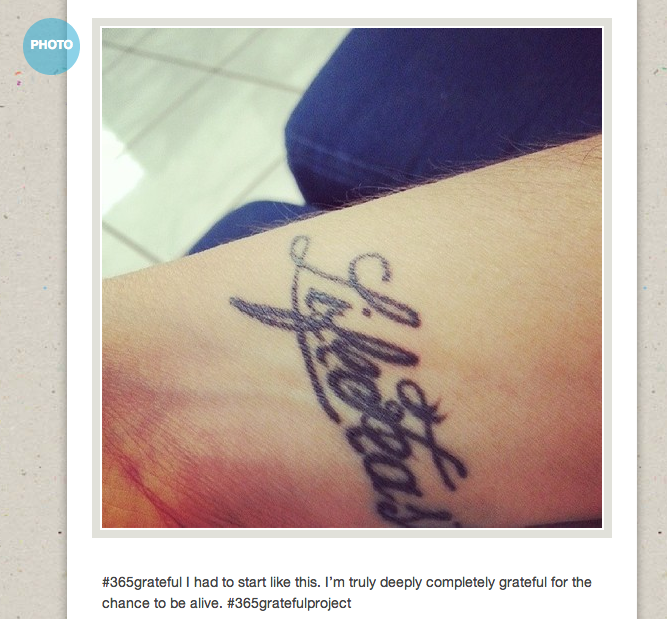
This was my first photo


Wouldn't this be a great idea for a writing project with students?


Coincidentally, this same week, I read a post by Vicki Davis about writing a Joy Journal which kinds of reinforces this idea of being positive about life.
http://coolcatteacher.blogspot.com.br/2013/04/9-fine-reasons-to-keep-journal-and-how.html

August 26, 2013

Sharing Journals with classmates

By eltpics

This past week, I started attending a very interesting class given by my M.A. tutor and a teacher from Canada. We're going to study about Teacher Development and Narrative Inquiry.

One of the evaluation tools suggested by the teacher was writing narratives as journals. We all discussed in class that it would be a little bit overwhelming for the teachers to answer all the journals written so we suggested having different "reading partners" each month. For example: each week, I have a partner with whom I'll be sharing my narratives with. We'll be reading each other writings and give feedback to each other. Then, the following month, we can have new partners. I'm really anxious to start this experience as I believe we can learn a lot by reading each other's reflections. 

Then I thought, where and how am I going to write my narratives?

With Penzu, you can write your journal entries on a notebook page which resembles the traditional paper journals. You can keep your writing private or share it with others either via e-mail or by getting a public link to be shared only with the ones you wish to share it with.

To learn more about it, watch the TUTORIAL below.


The tutorial I've chosen to add here is great. However, it doesn't show how to grab the public link to share with those you want to, which I think is the easiest option.

TO GRAB THE PUBLIC LINK


Anyone wishing to use PENZU with students can suggest the FREE ACCOUNT which is pretty good. But if you wish to use it frequently, it might be interesting to invest in a PRO ACCOUNT which is only $19 for a year membership. As a PRO member you get the chance to customize your journal by choosing from a very rich variety of background templates and pad styles.

My first narrative for the first class we had last week (written in Portuguese).


April 20, 2013

TEACHMEET Int'l : Even Beginners Can Write

If you've attended the TEACHMEET International 2013, this post is dedicated to talk a little bit more about the project presented this morning.

Many beginner students of English tend to learn isolated words and sentences and that's all they seem to use for the first years studying English. These students have very little opportunities for expressing themselves a bit more using the target language.

This semester, I'm teaching a group of beginners which have studied English for 5 months only (classes are twice a week). I asked them what sort of writing they did last semester and I was told most of what they wrote was in their workbooks and the few times they wrote short texts the only person who read it was their teacher.

Well, aiming to provide opportunity for this groups of students to develop their writing skills in English to express themselves I proposed the following project using the EDMODO platform.

Each week, I would share a bit more about myself by writing a short text using language learned that week. Students then would try to do the same over the weekend. But this time, they would be writing about themselves, we would be reading everyone's text and would be able to learn from each other. I mentioned to them, my objective was to give them further reading and writing practice , to learn more about them and to see from their language use where they needed further help.

This is how we started:

Then, it was my students' turn to write their own texts.


I tried to respond to the content of the text and not use the replies for correction purposes. This way, I intend to make students feel more confident in using English to talk about themselves.

After reading several texts written by the students, I took notes of the most COMMON MISTAKES and in the following class, without identifying who had made the mistake, I tried to elicit from them how to make the sentence grammatically correct. 

A big challenge I've been having is to get students to keep the conversation going, like I did with Talita, in the example above. They say they don't have enough time to go back and do more reading. Let's see how it goes.

ANOTHER EXAMPLE:


These were the slides used to present.

The LIVEBINDER with resources

Resources TeachMeet 2013

April 19, 2013

PEN + PAPER ? Notetaking during conferences

When I started attending conferences years ago, I normally used the notepad provided by publishers to take notes during the sessions I attended. I used my pen to jot down whatever I thought was pertinent to my teaching practice and kept these notes stored for some time before I threw them out. I also kept the various hand-outs given by the presenters.

This year at the IATEFL conference I noticed a big change in the way people are storing information. First, I could see an ocean of mobile devices being held above people's heads taking photos of slides being shown. 


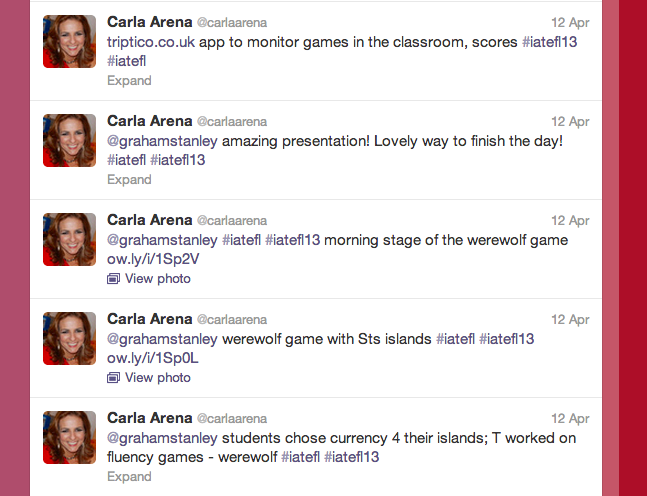
Many people tweeted throughout the conference.

Others used their fast fingers to blog about the sessions and resources being shared. Check GRAHAM STANLEY's blog posts at http://blog-efl.blogspot.co.uk/
Image by Carla Arena


Others like me, used their ipads for taking notes. I had thought of using the EVERNOTE APP but something went wrong and I decided to give another note-taking app a chance. NOTABILITY was the app I used each day to keep notes and pictures taken during the sessions.


WHAT I LIKED ABOUT IT?
Well, it was pretty easy to type the notes, take pictures from within the app to add to the notes, save them and then share them via e-mail with a friend at the end of the day. It's also possible to share your notes via Facebook or Twitter. 

Another great difference which I've been noticing more recently is the way people have been sharing their ppt presentations and resources after the session. In the past, most presenters would share their e-mails with the audience and promise to send the ppt to anyone who wrote them an e-mail. Honestly, I hate this method as some presenters never send you their slides later on. Nowadays, there are SO MANY OTHER OPTIONS. Some people like Vicky Saumell and Carla Arena,  shared cards with the link to a webpage with resources and their own presentations. Vicky created a protopage and Carla wrote a  blog post.

Others, like Gavin Dudeney shared a QRCODE at the end of the slides so that by scanning it you would be taken to their shared presentation. If you don't have a QR reader, I suggest THIS ONE (for iphones or androids ).


Others, like sharing LIVEBINDERS with their links ( I learned this one from Shelly Terrell).

And some others, still use two very powerful technologies: PAPER + PEN.

Now, is there a best way to store information? I don't know, I think the most important thing is to keep some sort of  information so that you can retrieve later for further reflection.

WHAT ABOUT YOU? How do you take notes during presentations and conferences nowadays?

June 26, 2011

Task Challenge #8 - Expressing opinions with LIVETYPING


To present challenge #8, I elicited language students could use to write a comment expressing their opinion. 
At home, students were asked to use LIVETYPING to write their opinions about the statement "Some people spend fortunes on their pets". 

These are some of their writings:


well, in my point of view this is totally unnecess
LiveTyping.com

I think that some people spend way too much money
LiveTyping.com

In my opinion, you can spend lots of money in your
LiveTyping.com

April 1, 2011

Task Challenge #4 - Write Comments

One of the skills our students need to develop is expressing their opinions about different topics. Task #4 involves leaving a comment on a virtual board for the whole class. In fact, the same board is being used by 3 different groups of the same level of English.

Students discussed the topic in class, and then were asked to leave a written comment. I've been sending to students the correction of their texts and next week they will be asked to edit their comments on the board according to the suggested corrections they have received via edmodo.

This is a screenshot of the challenge message shared with students via edmodo


The tool used was STIXY. Click on the image below to see the Virtual Board.

http://www.stixy.com/guest/111291

You can find information about the 10 TASKS CHALLENGE here.

March 21, 2011

Using MINI SAGAS - 10 ideas

I've always liked the concept of MINI SAGAS. Expressing your ideas in a few words (50 words). This is a presentation I've created with some ideas I brainstormed with CULTURA EDTECH participants yesterday. I used EMPRESSR to create the slideshow.
http://www.empressr.com/View.aspx?token=Cb8TUDr1vks%3d


This is the slideshow which inspired me. A great presentation I found at slideshare.net where you can find several mini sagas + images.