Showing posts with label songs. Show all posts

January 23, 2011

PROJECT: songs by the Beatles (Across the Universe)


I had an idea for a project to develop this semester with my Intermediate students.

I intend to use 5 songs by "The Beatles" from the film Across the Universe as a warmer activity every other week. The activities have been devised at http://lyricstraining.com and I'll use the IWB to ask different students to come to the keyboard to try to complete the gaps from the lyrics with everyone's help. This way students will have listening and spelling practise. After we're done, I'll play the whole song again for us to sing (pronunciation practice).

I'll save the song videos from YOutube  as favourites so that I can easily use the songs at the beginning of classes, as background for writing activities, to inspire brainstorming, and so on. Playing the same songs at different times, I believe they will memorize them.

During the semester, I expect some student will mention the songs come from the film "Across the Universe" and I believe they will naturally ask to watch the whole film in class. If my predictions don't come true, I'll tell them about the film and suggest we watch it. The film is not appropriate for younger students, therefore it's important to watch it to see if you find it acceptable for your group.

The Song Activities I plan to use:
 These are the controls which you need to use  in LYRICSTRAINING to repeat the lines, skip words, rewind and so on.


This is a TUTORIAL to show you how to make your own song activity.

January 22, 2011

Creating your own SONG ACTIVITY

LYRICS TRAINING is a wonderful site to practise listening and spelling. It has a wide variety of songs you can choose to complete the gaps from the lyrics. There are 3 levels; the higher the level the more gaps you have to complete.


The good news is that you can create your own song activity with a video clip you select from youtube, paste the lyrics and synchronize it with the video. It's quite simple really. This is an activity I've created for the song BECAUSE by "the Beatles" from the film "Across the Universe".


If you want to learn how to make your own SONG ACTIVITY to use with your students, watch the TUTORIAL below.

November 7, 2010

Practise LISTENING with Music

The first time I heard about LYRICS TRAINING was a few weeks ago via Roberta Righetto. I bookmarked it but didn't try it out until some days ago after watching Russell Stannard's fantastic tutorial.

First, you choose the language you want to practise (Portuguese, English, Spanish, French, German) then you select the song, the level (easy, medium and expert)and finally start completing the gaps as you listen to the song. The idea is pretty simple, however it's great fun listening, watching  the video clip and trying to understand the missing word. An additional feature is the way you can control the song, if you type the wrong word it doesn't accept and the song stops, to listen to that part of the song again all you have to do is clik ENTER. You listen again and again until you get the word right and the song continues.

Let me tell you a secret: I had SO MUCH FUN, I ended up trying 3 or 4 songs just for the fun of it.

Wonderful  LISTENING and SPELLING practice. Students can try it out at home,or you can use it in class as warmer on an IWB by showing it to the whole class and asking different students to use the keyboard to complete the gaps.

This is a little tutorial I've created to show to students.

February 18, 2010

Song Activity : Just do it (Changing your life)

If you use New English File Intermediate with your students, you might find this song activity useful.

In unit 2B, students read a text about people who changed their life style.

This is a song activity I´ve created to use w/ my intermediate students:


SONG ACTIVITY – Intermediate (EF – file 2B- “Changing your life” )

Just do it (Copacabana Club)

  1.  Ask students to discuss in pairs what we can change in our lives.
  2.  Debriefing: brainstorm w/ the group what we can change in our lives and write prompts on the board. 
  3.  Ask students to select and copy 8 words from the board.
  4.  Play the song and ask students to tick any similar word they hear in the song . (Play the part that starts w/ “You can change …”
  5.  Play the song again , stopping to check the right words.
  6.   Pairs discuss “What would you like to change in your life?”

December 14, 2009

FUN TIME- Christmas songs

Now that it´s Chrismas time, let´s get into the mood with some beautiful Chrismas songs.

I´ve found this nice widget you can embed in your blog at SOUNDCLICK . Hope you´ll enjoy the songs while reading the other posts.


This other one is from http://widgetbox.com


October 8, 2009

Creating an ANIMATED music video


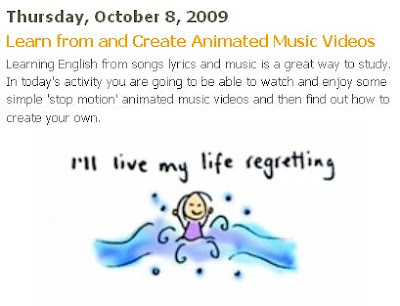
Inspired by Nik Peachey´s excellent post (image above) about creating animated music videos, I decided to give it a go myself. Of course my stick figure drawings are poor compared to what you´ll find in youtube but it can give you an idea of what can be done with any kind of drawing.

The task Nik suggested was to select a song you like, draw pictures for the lyrics, take pictures ( I scanned the pictures instead) and assemble everything in Windows Movie Maker.

How to do this kind of task w/ students?

My suggestion is
  1. Ask the class to select a song they like with good lyrics (or select one yourself)
  2. Grab the lyrics from http://www.lyrics.com/
  3. Cut the lyrics into sentences and give them to each student or pair of students.
  4. Ask students to draw something to represent the sentence they have from the song. The teacher will need to help sts understand the meaning so that they can draw.
  5. Collect all pictures and ask if any student knows how to work with Windows Movie Maker . (many of them can)
  6. Ask a student to assemble the pictures and the song to make a music video for the class (or do it yourself)
  7. Show the music video to students the following class and have everyone sing the song.


For FULL SCREEN and EMBED code you can find the same video here
http://vimeo.com/6972744

September 10, 2009

Song Activity - Please don´t leave me

This is a song activity created by a colleague of mine, Michelle Lemos, for teenager students.

The first activity is a lottery game where sts choose a word for each number and write them down on a piece of paper, then they listen to the song to see if they have chosen the right word. the next slide brings the right answers for the students to check how many points they have scored in the song lottery. The winner can get a prize.

The next activity is where students are asked to order the events in a logical sequence (they guess the order the events happen in the video clip), then they can watch the video clip from Youtube (link in the last slide) to correct the sequence.

With her permission, here it is:

January 30, 2009

GOODBYE dad


I was exploring youtube looking for songs by Nouvelle Vague, when I stumbled upon Waves and this lovely video. While watching it, I had all kinds of feelings: awe, sadness, loss , freedom and finally happiness. I HAD TO SHARE IT WITH YOU. After suffering from Alzheimer for 4 years, my dad passed away 15 days ago. He lived a long productive life and I´m relieved he´s stopped suffering.
This video is my goodbye to you, dad. Go in Peace! Love you.

September 22, 2008

Two SONG TOOLS

Have just discovered two cool ways of sharing songs in your blog. First, it is by getting a link in TWITTER from someone who has blipped in blip.fm.From the link you can get an embed code to add it to your blog, like I´ve just done.


The other is the scrool tool offered by stlyrics for the songs you want to embed in your blog. I found it so cool to be able to listen and see the lyrics at the same time.


Lyrics Stereophonics - Maybe Tomorrow lyrics

September 11, 2008

POSTCARD.FM

This is another interesting tool I´ve just found out in http://www.killerstartups.com

It´s very simple. YOu can upload any picture from your computer+ upload a song + write a message and finally send it to someone´s e-mail.
This is my trial postcard.fm http://www.postcard.fm/72d266

The image below is my trial:
So, here´s what I thought:
  • you can have students send pictures, songs and messages to each other.
  • you can also have students select pictures, a song that matches with the place and describe their dream place.
  • You can ask students to write about the place they would like to be at that moment but can´t ( adding picture, song and message)
  • Any other ideas?

September 10, 2008

Blip.fm


For those who like music and meeting new people, blip.fm is the site for you. I decided to write about it only now because I´ve been noticing how much pleasure it gives me to discover and rediscover songs through people´s suggestions. You can give people (DJs) props for songs you like and also add them to your favorites. The image above was taken from my blip.fm channel. BLIP.FM is also connected to other social network sites such as twitter, pownce, friendfeed, so whenever you blip a song, your updates go directly to the sites you´ve selected in your settings.

Give blip.fm a try!

How can we use this site with students?
  • Well, I guess if you discover your group is really interested in music, and most of them do, then you could have your students share their favorite songs with each other.
  • They can use the blip box to write about the song or the band using English.
  • Any other ideas?

June 22, 2008

OUTSHOUTS

OUTSHOUTS allows you to record messages along with songs you select to send to friends via e-mail or even embed in your web page. I liked it. Of course, be careful with the song you select. It´s very easy to use and I gather it might be very nice to receive too. Check it out! Oh, and I´ve become blond again! hahahahaha


HOW can we use it with students?
Well, we could ask students to write messages to friends and send each other a message along with a favourite song.