Showing posts with label IATEFL2013. Show all posts

May 10, 2013

My picks: IATEFL tech sessions

It's wonderful to see how much you can learn  (I was going to say "from your own couch") anywhere you are w/ a smartphone. In case you didn't have a chance to go to IATEFL 2013 personally, I've heard lots of people followed the conference via LIVERPOOL ONLINE . They recorded many of the sessions, unfortunately, not all. 

Like I said in a previous post, most of the sessions I attended were related to the Learning Technologies SIG.


These are some sessions I attended and truly recommend watching:

NICKY HOCKLY - Moving with the times: mobile literacy & ELT
 LUKE MEDDINGS and BURCY AKYOL - Unplugged and Connected: where ideas meet (DOGME + TECH)
 NIK PEACHEY - Evaluating web-based tools for language instruction
 RUSSELL STANNARD - Using technology to provide content-rich feedback
 GRAHAM STANLEY - Creative pedagogy, language learning and technology
 It's a pity I couldn't find the recordings of other SUPERB sessions I would love to share as well, such as : Carla Arena's, Joe Dale's , Gavin Dudeney's , Paul Driver's and some I didn't get to watch such as Shelly Terrell's, Heike Philip's and the list goes on.

 Hope you enjoy my selection.

April 21, 2013

APP Swap: IATEFL 2013


WHAT'S AN APP SWAP?

It's an informal teachmeet where all teachers have the chance to share apps they find useful.

During IATEFL Liverpool, we had a very interesting moment of sharing apps when each one of us suggested apps, explained why we liked them and also used the webpage http://todaysmeet.com/appswap to keep track of what was being shared. 


Photo by Roseli Serra
As most apps suggested on Todaysmeet don't have a link and descriptions, I carefully explored 50 + of the apps shared and organized them into an INTERACTIVE LIST which can be added by anyone who wishes to contribute as well. To suggest an app, all you have to do is click ADD TO LIST and paste the URL of the app suggested, remember to leave a description.


April 19, 2013

PEN + PAPER ? Notetaking during conferences

When I started attending conferences years ago, I normally used the notepad provided by publishers to take notes during the sessions I attended. I used my pen to jot down whatever I thought was pertinent to my teaching practice and kept these notes stored for some time before I threw them out. I also kept the various hand-outs given by the presenters.

This year at the IATEFL conference I noticed a big change in the way people are storing information. First, I could see an ocean of mobile devices being held above people's heads taking photos of slides being shown. 


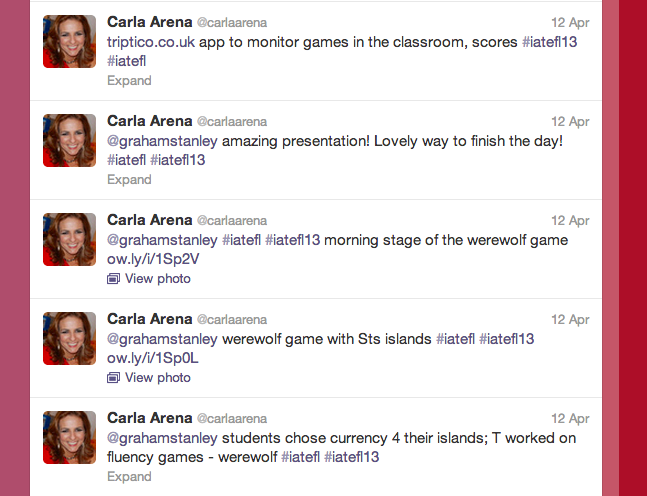
Many people tweeted throughout the conference.

Others used their fast fingers to blog about the sessions and resources being shared. Check GRAHAM STANLEY's blog posts at http://blog-efl.blogspot.co.uk/
Image by Carla Arena


Others like me, used their ipads for taking notes. I had thought of using the EVERNOTE APP but something went wrong and I decided to give another note-taking app a chance. NOTABILITY was the app I used each day to keep notes and pictures taken during the sessions.


WHAT I LIKED ABOUT IT?
Well, it was pretty easy to type the notes, take pictures from within the app to add to the notes, save them and then share them via e-mail with a friend at the end of the day. It's also possible to share your notes via Facebook or Twitter. 

Another great difference which I've been noticing more recently is the way people have been sharing their ppt presentations and resources after the session. In the past, most presenters would share their e-mails with the audience and promise to send the ppt to anyone who wrote them an e-mail. Honestly, I hate this method as some presenters never send you their slides later on. Nowadays, there are SO MANY OTHER OPTIONS. Some people like Vicky Saumell and Carla Arena,  shared cards with the link to a webpage with resources and their own presentations. Vicky created a protopage and Carla wrote a  blog post.

Others, like Gavin Dudeney shared a QRCODE at the end of the slides so that by scanning it you would be taken to their shared presentation. If you don't have a QR reader, I suggest THIS ONE (for iphones or androids ).


Others, like sharing LIVEBINDERS with their links ( I learned this one from Shelly Terrell).

And some others, still use two very powerful technologies: PAPER + PEN.

Now, is there a best way to store information? I don't know, I think the most important thing is to keep some sort of  information so that you can retrieve later for further reflection.

WHAT ABOUT YOU? How do you take notes during presentations and conferences nowadays?

April 18, 2013

IATEFL Liverpool - It's all about people


I was planning to write blog posts while attending the IATEFL conference but I'm glad to say I  HAD NO TIME for sitting down on my own to write a blog post; so many people to meet, to talk to and to learn from. Face 2 face interactions definitely won over the magic of blogging.


Well,  people who also follow me on Facebook and Twitter know that the beginning of the journey was not  as smooth as I thought it would be (check my furious tweet).


After getting to Liverpool one day after I had expected, the days went by very quickly. There were lots of sessions to choose from but I decided to follow a tip given by someone from the IATEFL committee: to focus on one of the Special Interest Groups. Therefore, most of the sessions I attended were related to Learning Technologies.

Now, it's funny that lots of people say the virtual environment is cold and the relationships which take place online are superficial. However, as this group is always in contact via twitter, facebook and blogs, I dare say it's one of the warmest groups EVER.


During these days in Liverpool, I had the wonderful privilege to meet so many e-friends I had never met f2f and others I've met only a few times.

I shared a room with a wonderful friend from Recife, Roseli Serra, who I met online last year during an online course but have kept in contact ever since. The first session I had the pleasure to attend was Vicky Saumell's. I first met Vicky f2f two years ago in Buenos Aires and loved giving her a hug before and after her wonderful presentation on E-publishing in the classroom. Getting to know Michelle Schwertner, another award winner, was also a pleasant surprise. I met Michelle online via two common friends and we decided to meet in Liverpool. We laughed so much together! Meeting Carla Arena, my mentor and inspiration for many years, and being able to learn more from her was a precious gift. I also had the chance to meet for the first time some people with whom I've exchanged messages and tweets FOR YEARS, such as Joe Dale, Nik Peachey, Burcu Ayol, Beyza Yilmaz, Marisa Constantinides. 


The learning surpassed the room walls and whenever we got together there was some kind of sharing taking place, "there's this app......", right, Joe Dale? Another informal learning moment was the APP SWAP  proposed by Carla Arena where each one shared interesting apps and explained about it. The app sharing can also be followed at the todaysmeet page below.


Networking made the IATEFL experience rich in learning and warm in connections.


Plans for the future? I've heard it through the grapevine that we could have a LT (Learning Technology) event in Brazil this year. Graham Stanley, I'm crossing my fingers about this one.

April 3, 2013

How to use the IATEFL app: a quick guide

I've already been to big International conferences and I know how hard it is to choose what sessions to watch. In big conferences in Brazil, we might have about 15 sessions taking place at the same time. However, IATEFL presents a bigger challenge to people attending it, sometimes there are about 22 sessions taking place at the same time, and HOW TO CHOOSE?

Well, the first thing I did was try to find the programme. It can easily be found at the IATEFL website


Another great idea, MY FAVORITE in fact, is to download the IATEFL app from here http://www.iatefl.org/mobileapps.html for your iphone/ipad or android devices.

Then, explore the programme, bookmark sessions, add them to your planner and you'll have a better idea of what to expect.

I've used two different apps to create quick tutorials of how I've organized myself for NEXT WEEK at IATEFL 2013 Liverpool. 

Check out How to Use the IATEFL App by Ana Menezes on Snapguide.

The second one is a SKQUEAK which allows you to draw and record your voice as you talk about the images you've selected.
 Now, if you're attending the conference for the first time (like me ) it is interesting to watch the WEBINAR presented by Susan Bardhun HERE.